Workload Management & In-Browser Editor
StackPilot provides an interface to manage, edit, convert, and inspect workloads across all your Linux hosts. Whether you run native rootless Podman Quadlets or Docker Compose projects, StackPilot manages them as first-class systemd services.
1. Supported Workload Paradigms
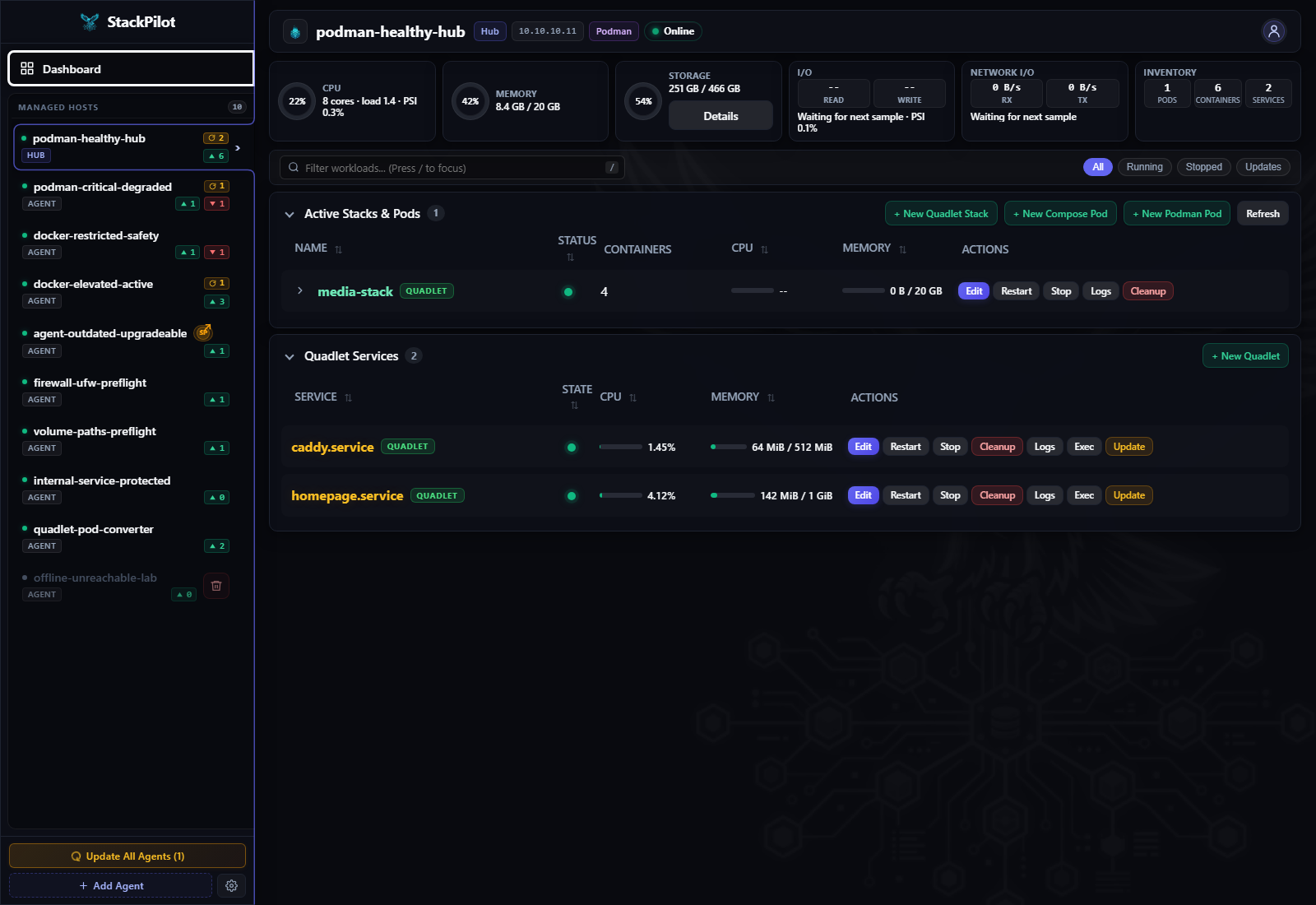
The mock workload view shows the actions available for a selected host. The exact controls depend on workload type, runtime, state, and policy.
Pods (.pod)
- Concept: A pod groups multiple containers into a shared network namespace, sharing localhost and published host ports.
- Systemd Integration: Compiled into a
<name>-pod.servicesupervisor unit and individual child<name>-<container>.serviceunits. - Resource Aggregation: StackPilot aggregates memory and CPU statistics across all sibling containers in the pod table.
Standalone Quadlets (.container)
- Concept: Individual container units compiled into standalone
<name>.servicesystemd user services. - Configuration: Managed in
~/.config/containers/systemd/<name>.container. Supports declarative environment files, health checks, and cgroups v2 resource limits.
Multi-Container Stacks
- Concept: Multiple Quadlet files stored within a dedicated folder under
~/.config/containers/systemd/<stack>/. - Dependencies: Allows inter-service dependencies (
After=,Requires=,Wants=) enabling clean ordered startup.
Docker Compose Applications
- Concept: Standard
docker-compose.ymlorcompose.yamlprojects running on Docker-elevated hosts. - Lifecycle: Full start, stop, rebuild, update, and log viewing via native Docker Compose CLI commands.
2. In-Browser Quadlet & Compose Editor
StackPilot features an embedded CodeMirror editor that lets you modify workload definitions directly in the web UI without SSH:
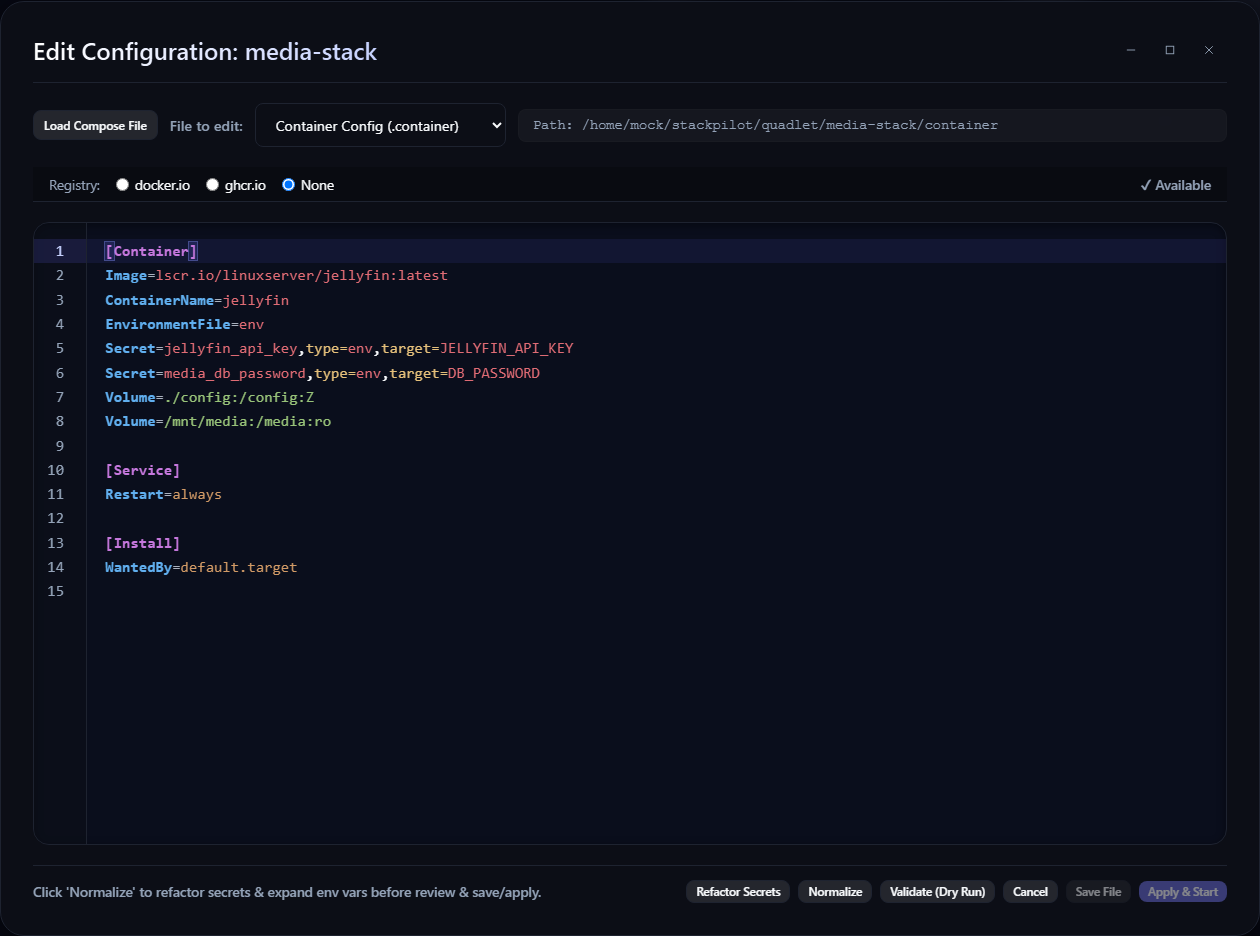
The mock-server editor shows a managed workload definition with validation, save, and apply controls.
Key Editor Features:
- Syntax Highlighting: Supports systemd INI configuration files (
.container,.pod,.volume) and YAML syntax (docker-compose.yml). - Draft Auto-Restore: If your browser tab closes or connection drops while editing, StackPilot caches the active draft in local browser storage and prompts you to restore your unsaved edits upon re-opening.
- Clean Generator Recompilation: Saving changes automatically invokes
podman-system-generatorand reloads systemd user daemon (systemctl --user daemon-reload).
3. Live Docker-to-Quadlet Converter
Transitioning from Docker to rootless Podman Quadlets is effortless with StackPilot's built-in converter:
- Click Add App or open the Converter tab in the editor modal.
- Paste either:
- A single
docker runcommand (e.g.,docker run -d --name caddy -p 80:80 -v caddy_data:/data caddy:latest). - A multi-service
docker-compose.ymlfile. - Click Convert to Quadlet.
- The converter translates:
- Volume mounts into native
[Volume]or host volume directives. - Port mappings (
-p 8080:80) intoPublishPort=8080:80. - Environment variables into
Environment=keys or referenced.envfiles. - Network definitions into Podman network units (
.network). - Review the generated
.containerand.podfiles directly in the editor and click Deploy.
4. Secret & Environment Refactoring
Hardcoding sensitive credentials in plaintext environment variables is a major security hazard. StackPilot includes a one-click Secret Refactoring Engine:
- Open any Quadlet service in the editor.
- Click Refactor Secrets.
- StackPilot automatically scans the configuration for common credentials (
*_PASSWORD,*_TOKEN,*_SECRET,*_KEY). - Select the variables you wish to protect and click Convert to Secrets.
- StackPilot creates encrypted host secret entries (
podman secret create) and rewrites the Quadlet to useSecret=<secret-name>,type=env,target=<VAR_NAME>directives.
5. Workload Actions & Operations
Every workload in the dashboard provides an action menu based on role permissions:
- Restart: Gracefully restarts the systemd service or compose project (
systemctl --user restart <unit>). - Stop: Stops the running service (
systemctl --user stop <unit>). - Rebuild: Cleans cached image layers and forces a fresh build or generation.
- Update: Pulls the newest image tag from the remote container registry, stops the existing container, applies updates, and removes superseded images.
- Logs: Opens the real-time journald logs modal with full-text search.
- Exec: Opens the interactive xterm.js terminal session.
- Remove: Prompts for confirmation and offers automated port cleanup and secret removal commands.